
The Client Site
A client portal that answers one question: "Is there anything I need to do?"
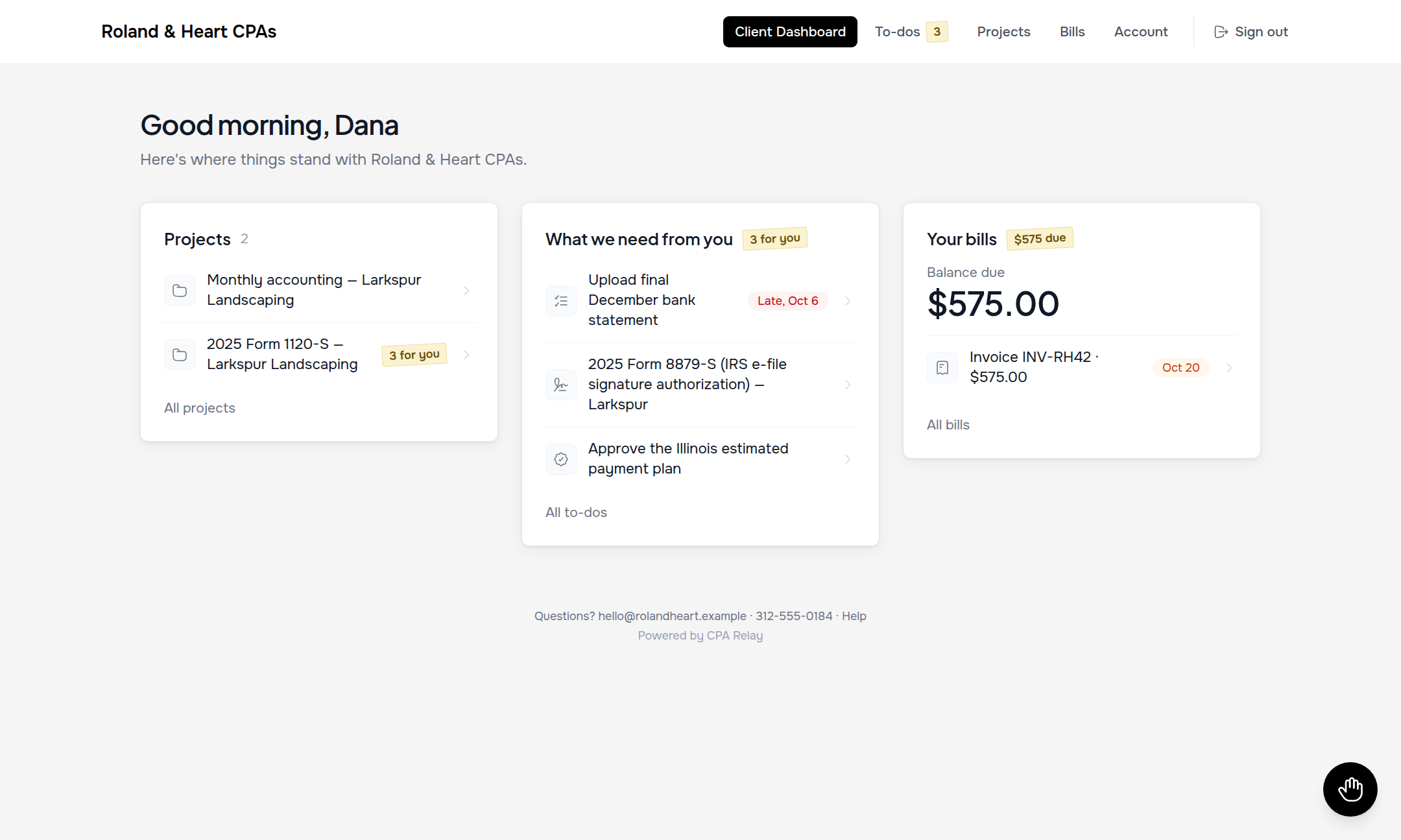
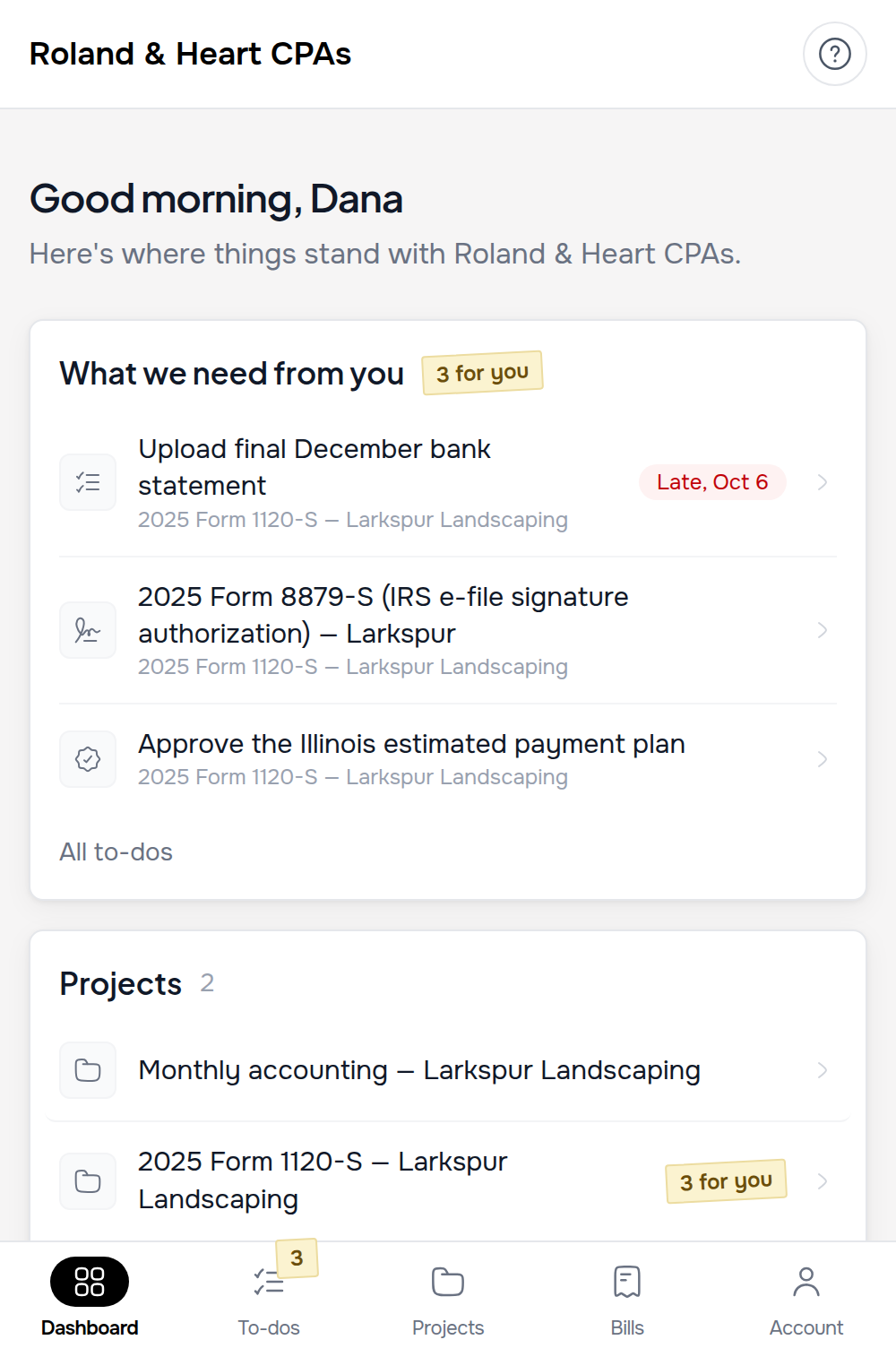
Clients hate logging into accounting portals that look like complex enterprise file servers. When a client signs into CPA Relay, their Home page greets them by name and presents three quiet cards: their active projects, open items needing attention, and outstanding bills.
Branded with your firm's name & logo · Unlimited free client logins · Desktop & mobile ready
Unified action list
How do clients manage personal 1040 and business 1120-S documents under one login?
CPA Relay connects multiple entities—such as a personal Form 1040, an S-Corporation (1120-S), an LLC, and a trust—to a single client email address. Clients switch between entities seamlessly or view a consolidated "To-dos" list with color-coded urgency chips, without logging out or juggling separate portal accounts.
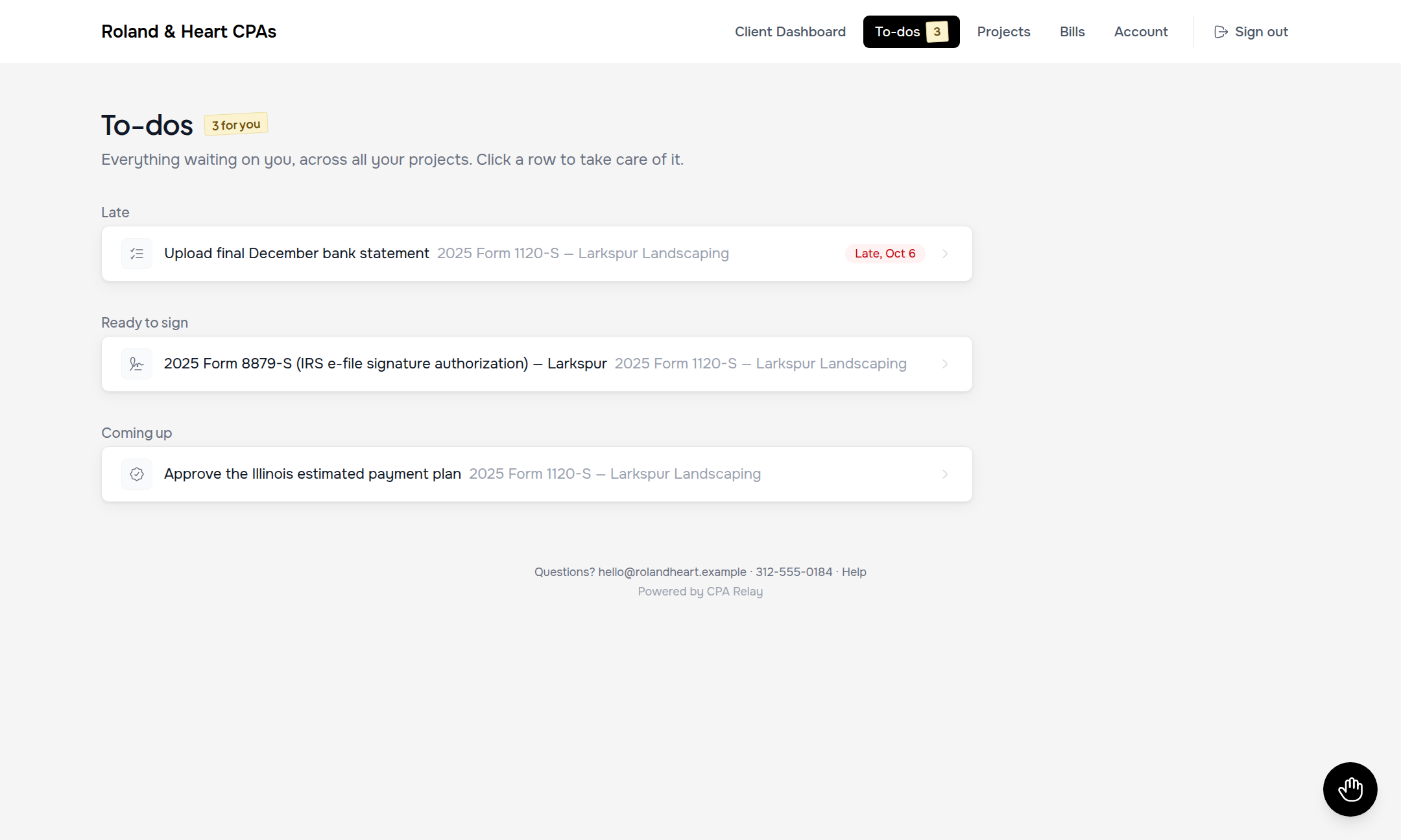
Clients never have to wonder what needs to be done first. Their dedicated To-dos tab groups every pending item into clear chronological buckets with color-coded urgency chips.
- Urgency grouping: Items are automatically organized into Late (red), Ready to sign (amber), Due this week, and Coming up.
- One login for multiple entities: Business owners access their family 1040, partnership, and rental LLCs under a single login—with open items clearly tagged by entity.
- Direct action buttons: Every row features a single unambiguous action: Open to-do, Review & sign, Review & approve, or View & pay ↗.
- Secure drag-and-drop intake: Clients drop bank statements, W-2s, and PDFs directly into requested slots without confusing folder trees.
Dedicated approvals
One-tap approvals for draft returns, estimates, and extensions
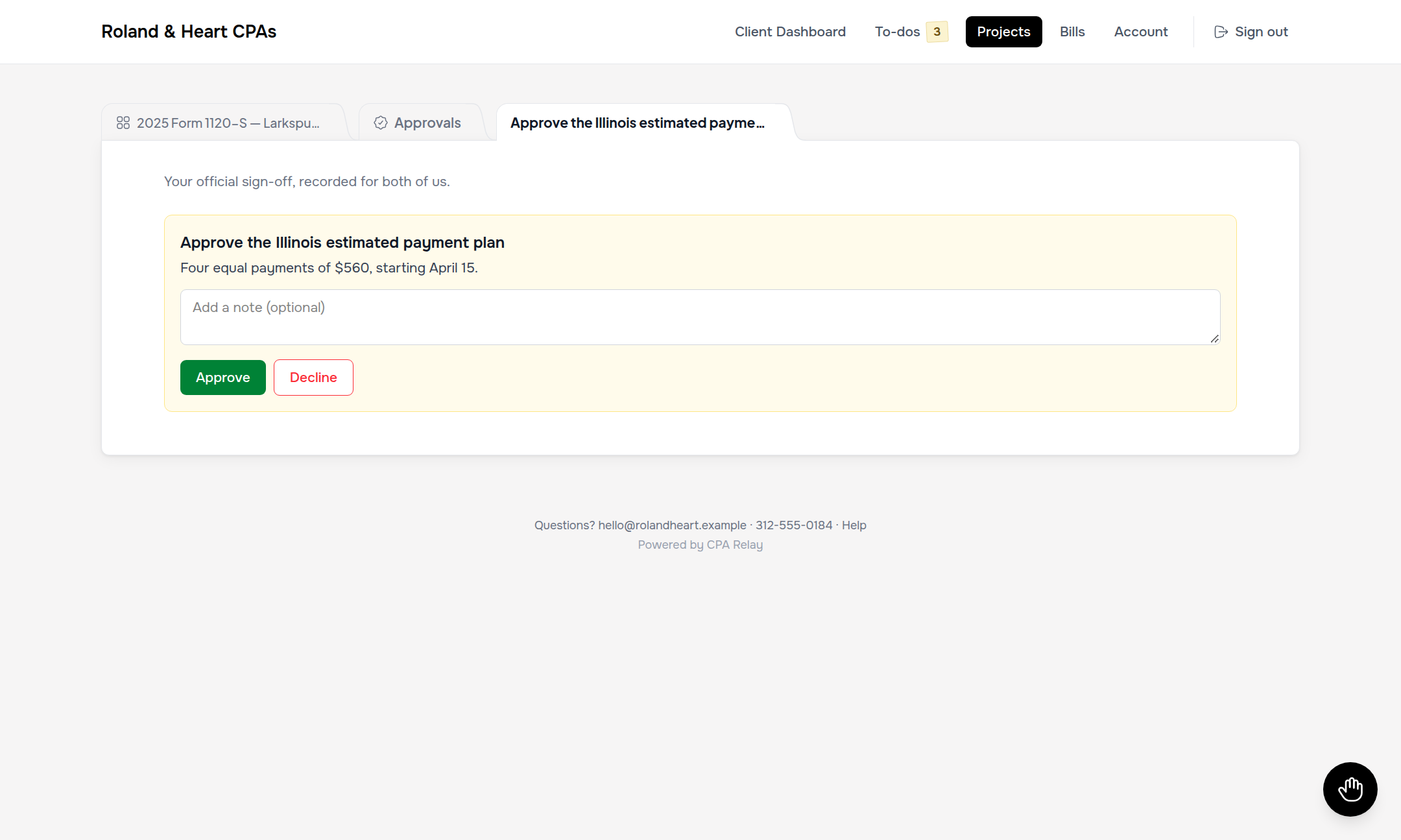
Not every client decision requires a 10-page e-signature envelope. When you need official sign-off on a draft Form 1040 or an estimated tax voucher before e-filing, send a project Approval.
- Frictionless decision interface: Clients review attached draft PDFs in a clean viewer and click Approve draft or Decline or ask a question.
- Client feedback notes: If a client declines, they can leave an immediate note ("Please check line 12 charitable contributions") directly on the approval record.
- Permanent audit record: Every approval is timestamped with the exact client user, date, and decision, locking into the firm's project log forever.
Frictionless billing
Transparent bills, itemized invoices, and optional Auto-Pay
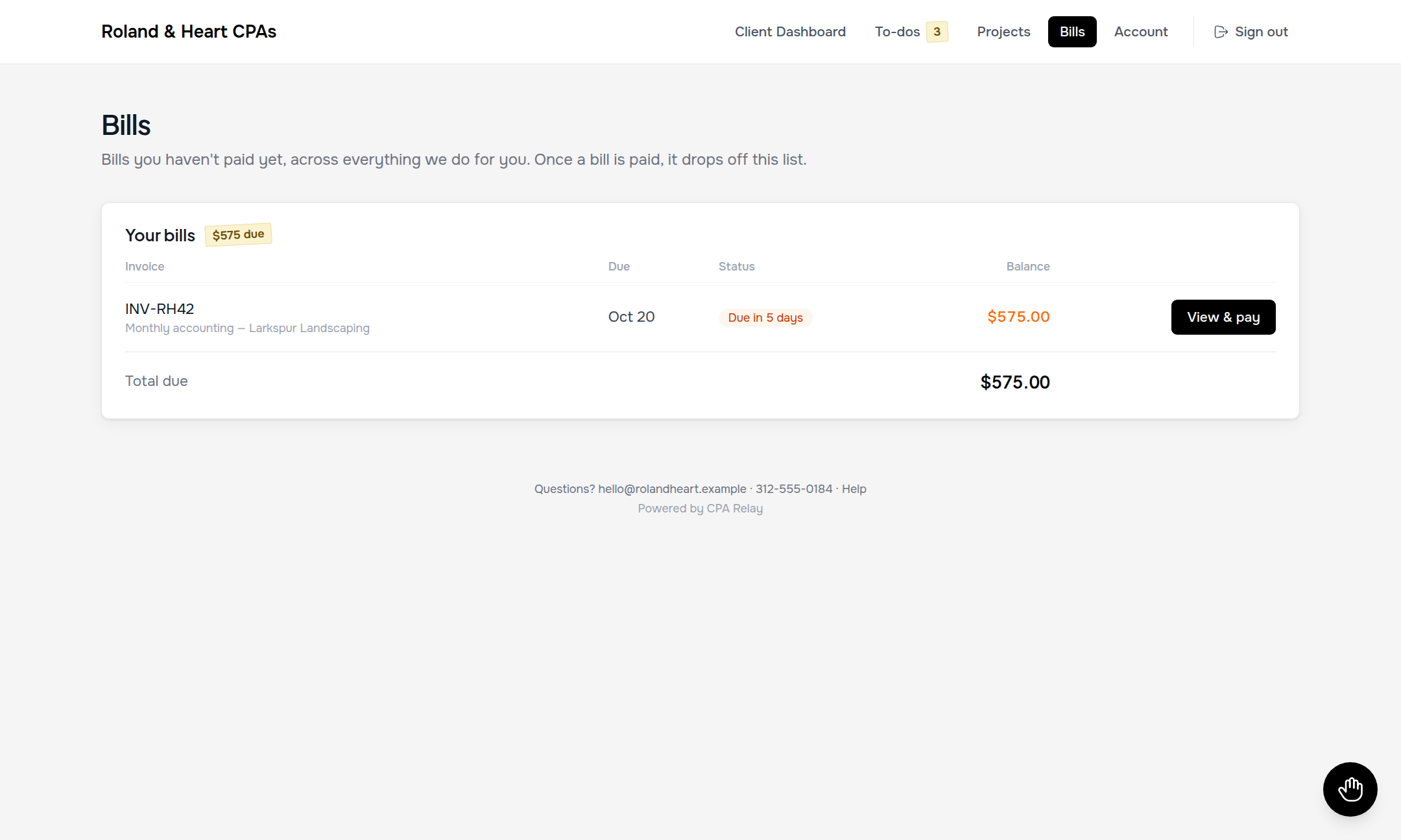
Clients can see what they owe across all of their entities on one clean screen—no buried billing menus or confusing statements.
- Immediate payment: A prominent View & pay button lets clients pay invoices via credit card, ACH bank transfer, or Cash App in seconds.
- One-switch Auto-Pay: For recurring tax prep retainers or monthly bookkeeping, clients can toggle Auto-Pay on with a saved card or bank account.
- Itemized clarity: Displays invoice numbers, issue dates, due dates, and exact balances with clear paid/unpaid status badges.
24/7 Self-Service
"Papers to keep" and controlled profile update requests
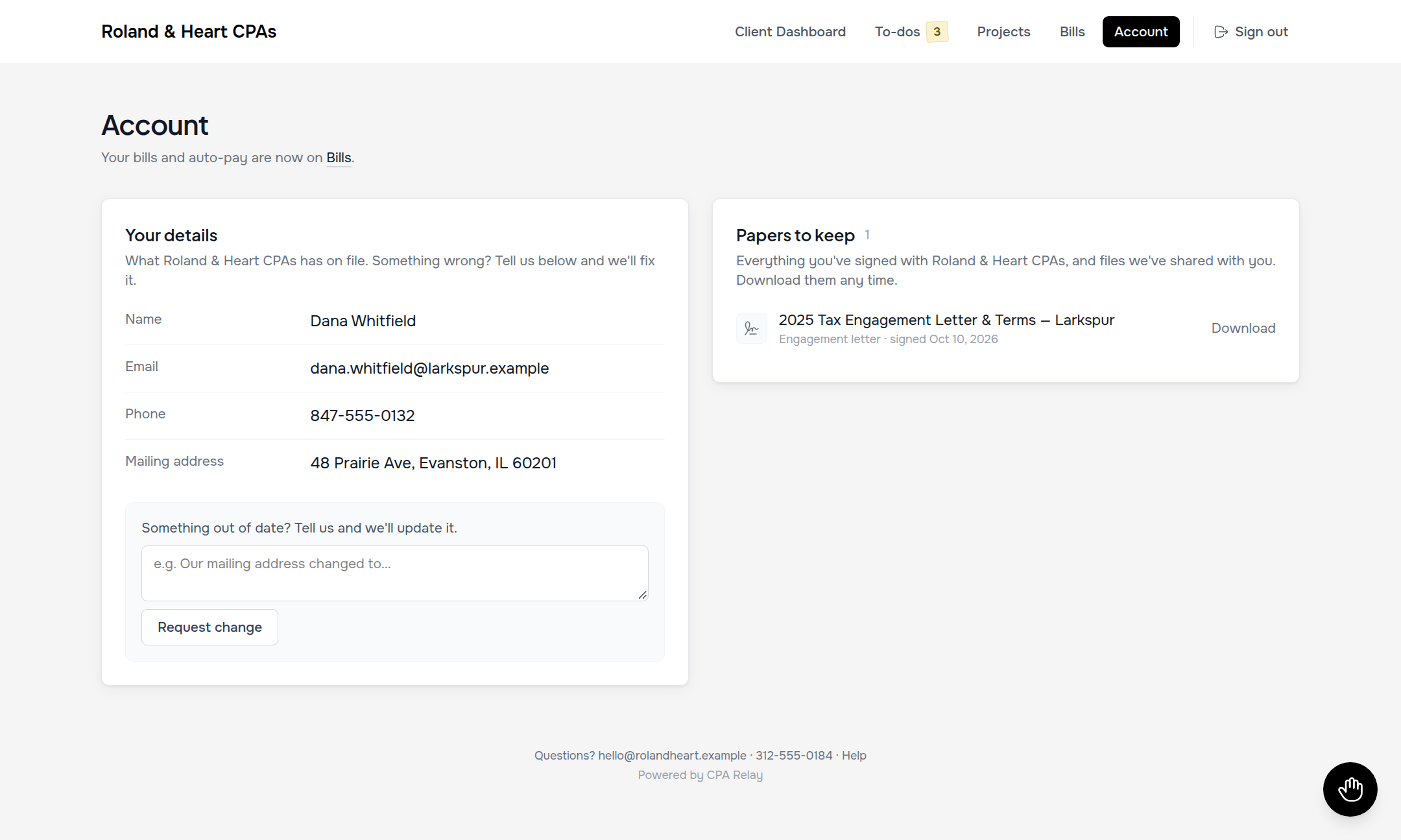
Every spring, CPA firms are buried in emails from clients asking for prior-year tax returns for mortgage lenders. The client Account page provides a permanent, self-service vault.
- Papers to keep: Every signed engagement letter, Form 8879, and shared final return is permanently archived for immediate PDF download.
- Controlled address updates: Clients don't silently overwrite your database—submitting a new address or phone number creates a clean review request on your firm's What's Outstanding board.
- Zero password resets for your firm: Modern magic-link recovery and optional two-factor email verification handle authentication smoothly without staff intervention.
Zero client confusion
A built-in 4-step quick guide so clients never get stuck
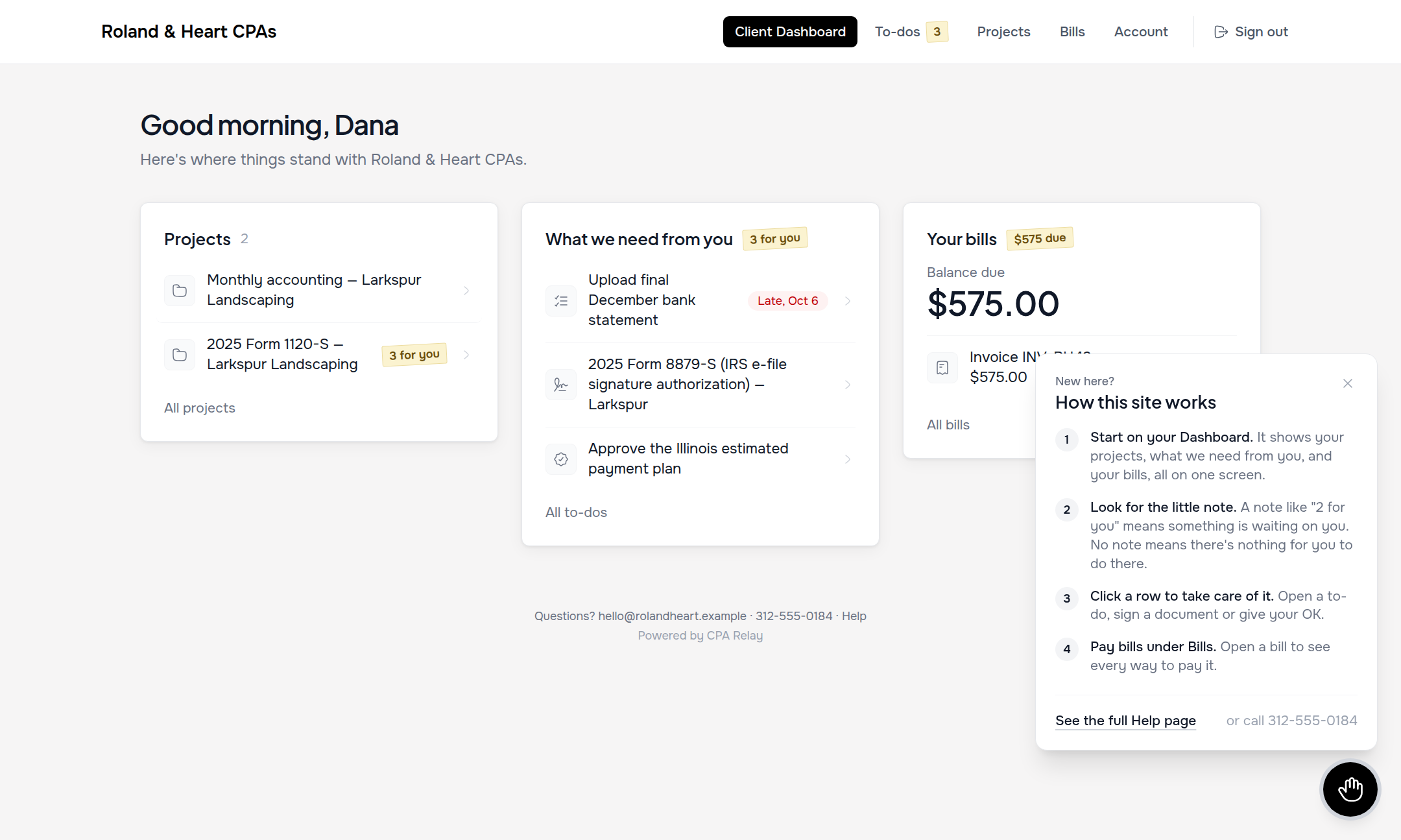
Most client portals require a 15-minute onboarding phone call. CPA Relay includes a round, floating help button on every client screen that opens an instant 4-step guide.
- 4-step orientation popover: Walks first-time clients through Find what we need, Upload documents, Review & sign, and Pay invoices in plain English.
- Full Help page (`/my/help`): Answers common questions about file formats, accepted file sizes, multi-factor codes, and spousal signatures.
- Direct firm contact: Your firm's phone number, email address, and office hours are anchored at the bottom of the help popover so clients always know how to reach you.
Strict visual privacy
How does the Amber vs. Sky privacy model prevent accidental client disclosures?
CPA Relay enforces strict visual separation using two distinct color badges: warm Amber badges indicate client-visible items (shared folders, checklist requests, approved returns, published invoices), while Sky Blue badges with lock icons indicate firm-only internal workpapers, partner review notes, and billable time entries that clients can never access.
Clients never see your internal workpapers, staff @mentions, hourly rates, time entries, write-downs, or preparatory notes. Nothing appears in the client portal unless marked with an Amber badge.
Amber folders & shared lists
Shared folders, client checklist to-dos, final approved tax packages, and published invoices are badged in warm amber across the app.
Sky folders & workpapers
Internal tax working papers, tick-marks, carryforward notes, and review checklists are badged in sky blue with a lock icon. Completely hidden from clients.
Time entries & rates
Staff billable hours, Price Book units, internal realization rates, and courtesy write-downs are strictly internal and never exposed on invoices or portals.
Portal comparison
Can clients upload documents, e-sign Form 8879, and pay invoices in one place?
Yes. CPA Relay unifies the entire client interaction loop into one private portal. Clients complete itemized document request lists, electronically sign engagement letters and Form 8879 e-file authorizations with IRS-compliant verification, review draft returns, and settle Stripe-powered invoices via ACH or credit card without leaving the platform.
| Capability | Generic File-Sharing (Dropbox / Drive) | Complex All-in-One Suites (TaxDome / Canopy) | CPA Relay Client Portal |
|---|---|---|---|
| Multi-Entity Single Login (1040 + 1120-S) | Manual link sharing per folder; clients manage disjointed shared drives | Separate logins or rigid account toggles; clients frequently get locked out | One single login unifies family 1040, business LLCs, and S-Corps with cross-entity to-dos |
| Amber vs. Sky Privacy Model | No native role separation; high risk of exposing internal firm workpapers | Complex nested permissions with multi-level checkboxes prone to user error | Strict color badging: Amber is client-visible; Sky Blue is locked firm-only internal workpapers |
| Built-in Form 8879 & Engagement E-Signatures | None; requires external DocuSign/Adobe Sign subscriptions and manual uploads | Per-envelope KBA fees or complex multi-step template builder configurations | Native IRS Pub 1345 KBA and 53 pre-built engagement templates with $0 per-envelope fees |
| Shared-Email Spousal OTP Support | N/A — no signature verification or identity proofing capabilities | Fails on shared email; requires unique separate email addresses for each spouse | Dual-spouse support: sends distinct tokenized OTP links to one shared household inbox |
| Integrated Stripe Invoice Payment | None; requires third-party invoicing software and manual accounting reconciliations | Built-in payments often tied to high platform subscription tiers or fee surcharges | Direct Stripe payouts: itemized bills, one-click ACH/card payments, and client Auto-Pay |
Related guides & comparisons
Learn more about the client experience
Client documentation
Client Portal Walkthrough Guide
A plain-English guide you can share with clients explaining logins, to-dos, document uploads, and bill pay.
Read guideSoftware comparison
CPA Relay vs. TaxDome
Why small firms prefer a calm, clean client portal over complex multi-screen enterprise suites.
Compare portalsCompanion feature
PBC Document Requests
How shared to-dos and amber folders keep client file uploads organized without the email chase.
Explore requestsFrequently asked questions
Client portal questions & answers
Do clients need to create a password or download an app to use the portal?
No. Clients can access CPA Relay securely on any desktop or mobile browser. CPA Relay supports modern email magic links and optional two-factor verification codes, eliminating forgotten passwords and firm-side password reset requests entirely.
How do spouses sharing one email address sign joint tax return documents?
When spouses share a single household email, CPA Relay issues two distinct, tokenized invitations to that inbox. Each spouse opens their unique link, completes independent identity verification, and signs their own authorization under IRS Publication 1345 guidelines.
Can clients accidentally see our firm's internal workpapers or partner notes?
No. CPA Relay uses a strict Amber vs. Sky privacy model. Only items with a warm Amber badge are visible to clients. All firm notes, internal tick-marks, hourly billing rates, and Sky Blue folders are locked and permanently hidden from the client view.
Is there an additional charge for client portal accounts or storage?
No. Every CPA Relay firm seat includes unlimited free client logins and pooled storage. You can invite hundreds of personal and business clients without paying per-portal or per-client fees.
Give your clients a private site they won't need help using
Request an invitation for your firm. Client logins are always free.
Unlimited free client logins · Branded with your firm's logo