
Proposals, Invoicing & Stripe Payments
CPA firm billing, invoicing & Stripe payment software
Turn accepted proposals and unbilled project hours into branded invoices in seconds. Track internal write-downs privately, review recurring monthly drafts before they go out, and accept Stripe ACH, credit card, and Cash App Pay with optional processing fee passthrough.
Direct payouts to your own Stripe account · Zero CPA Relay markup
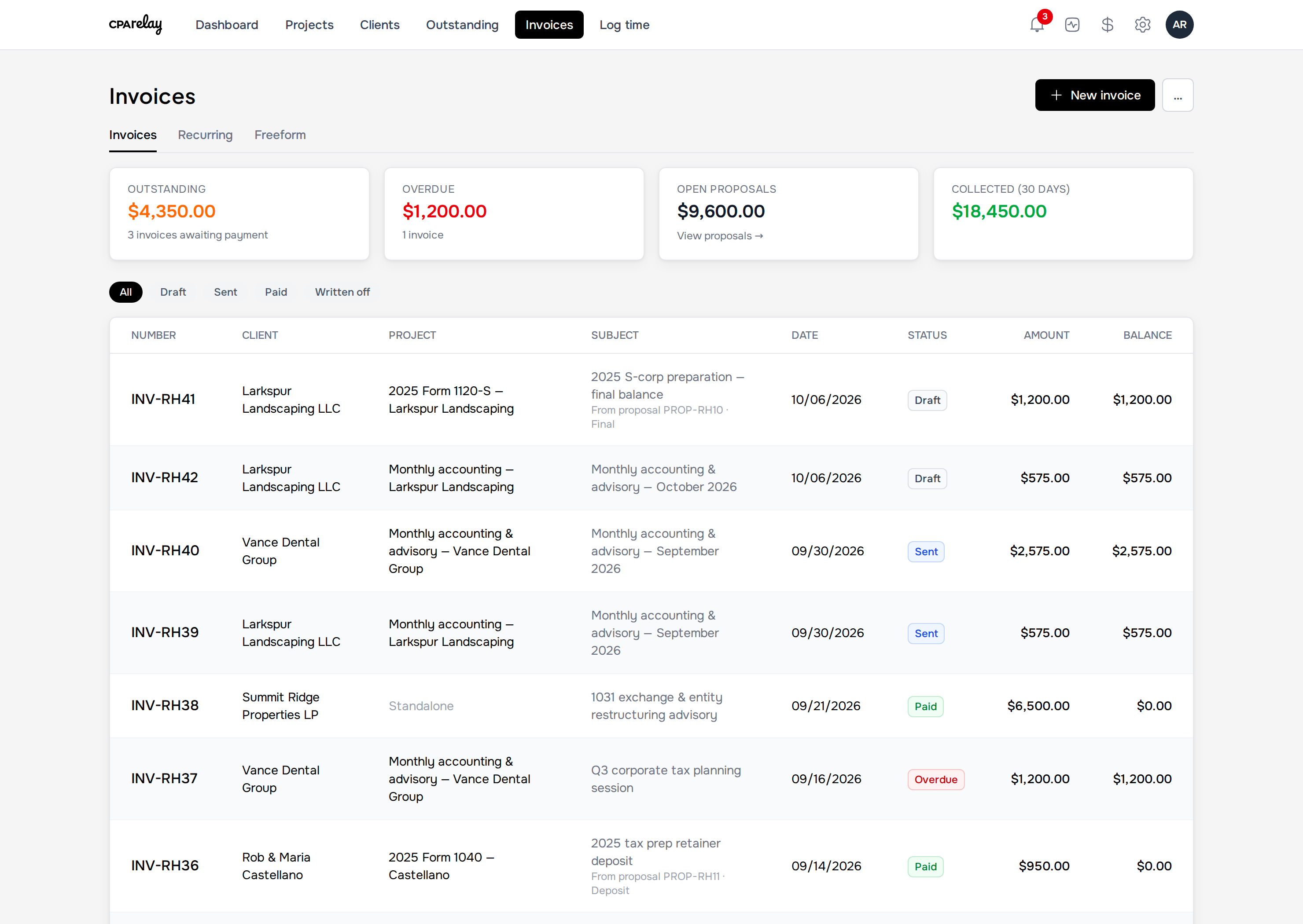
Proposals & staged billing
How does proposal-to-invoice conversion prevent scope creep and overbilling?
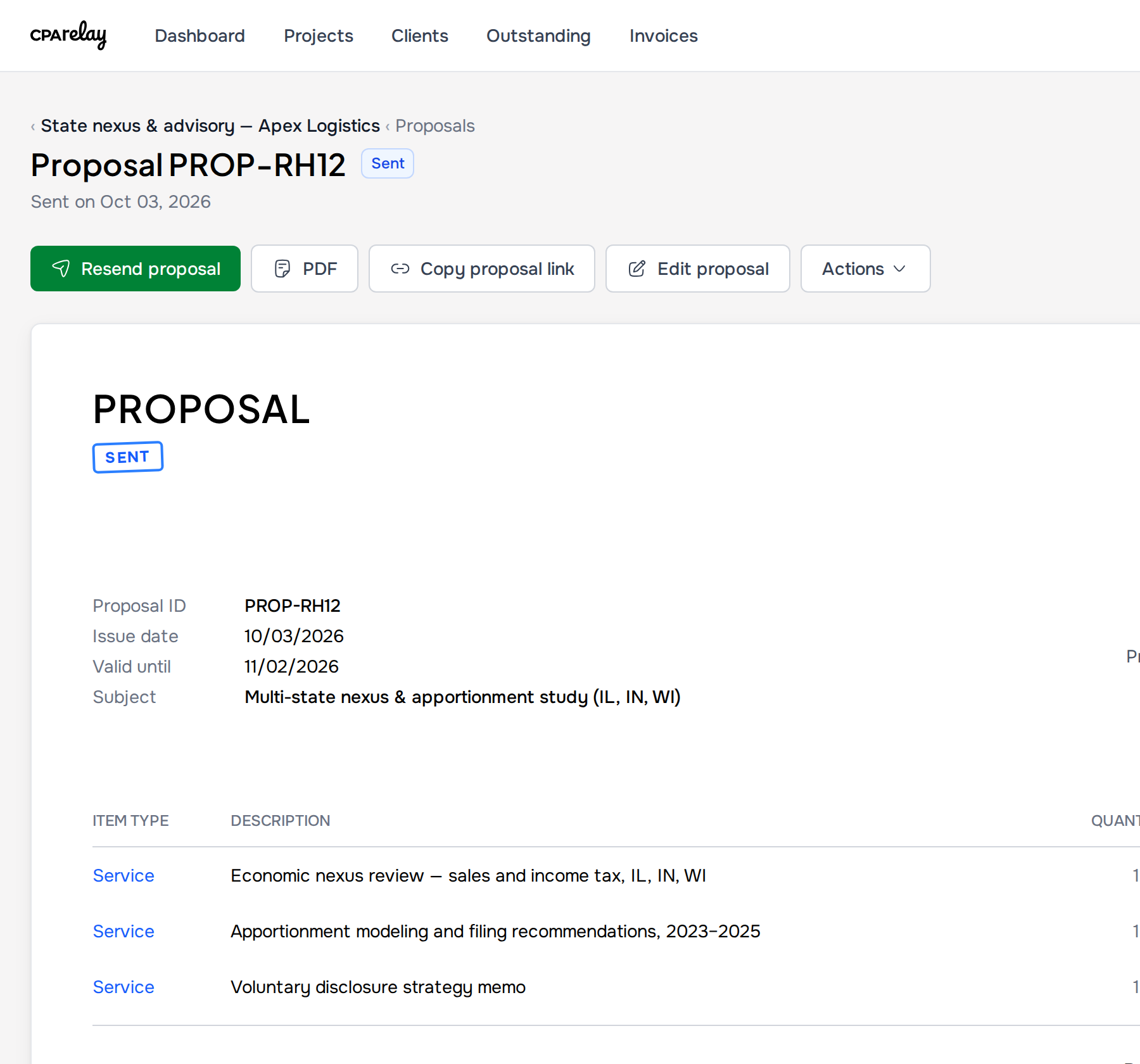
CPA Relay links accepted proposals directly to project billing. Practitioners convert fixed-fee or hourly quotes into deposit, progress draw, or final balance invoices with one click. The system tracks remaining unbilled balances automatically and blocks billing past the agreed contract amount unless an authorized scope revision is created.
Pull labor rates and catalog services from your Price Book, attach scope PDFs, or mark uncertain lines as Price TBD. Clients accept online with a typed electronic signature—and if scope changes later, click Revise and prior deposits automatically credit against the revised total.
- One-click staged invoicing: Convert an accepted proposal into a deposit, progress, or final invoice—CPA Relay prevents billing more than is left on the deal.
- Private Write-downs & Write-ups: Adjust a time line on an invoice and CPA Relay records "Time value $292.50 · Written down $42.50" plus your internal reason note—while showing the client only the final price.
- Draft-first recurring schedules: Monthly bookkeeping schedules generate draft invoices for your review so you never blindly bill a client mid-dispute.
Stripe payouts & fee passthrough
Can CPA firms pass Stripe credit card and ACH processing fees to clients?
Yes. CPA Relay includes automated net-zero fee passthrough that gross-up online invoices so the firm collects 100% of its fees. When enabled, clients who choose credit card or Cash App Pay cover the 2.9% + $0.30 fee, while ACH bank payments can be capped at 0.8% or $5 max.
Connect your firm's Stripe account to take Credit Card, ACH bank transfer, and Cash App Pay (or record paper checks and cash). Turn on fee passthrough in Settings and the client covers the processing fee on top of the invoice.
- Exact net-zero fee math: Grosses up the surcharge so you receive the full invoice balance after Stripe's cut (2.9% + $0.30 for card/Cash App Pay, or 0.8% capped at $5 on ACH-only bills).
- Client Auto-Pay & reminder schedules: Clients can enable Auto-Pay for recurring retainers, and unpaid invoices follow your automated reminder schedule (default
-3, 0, 3, 7, 14days). - Public payment page & Accounting summary: Includes a general payment link (
/pay/your-firm) with Freeform payment matching, client monthly statements, and an Accounting page summarizing invoiced, collected, written-off, sales tax, and processing fee totals.
Realization & billing workflows
How do private write-downs protect firm realization rates on client invoices?
When turning unbilled staff hours into invoices, partners can write down or write up individual time lines while documenting the internal reason. CPA Relay logs the original billable labor value, courtesy discount, and net realization on firm dashboards, while displaying only the clean, professional final price to the client.
| Billing Workflow | Trigger / Source | Firm Review & Adjustment Control | Client Payment Experience |
|---|---|---|---|
| Proposal-to-Invoice Conversion | Accepted proposal with signed scope and agreed pricing | Stage into deposit, progress draw, or final balance; locks billing to prevent exceeding deal total | Client receives clean branded invoice matching proposal scope; 1-click payment via portal |
| Time & Price Book Billing | Unbilled time entries logged against client engagement project | Line-by-line private write-downs with internal reason notes; preserves labor value reporting | Itemized professional invoice showing services rendered without exposing staff hourly rates |
| Draft-First Recurring Schedules | Monthly CAS retainers, payroll schedules, or quarterly advisory | Draft invoices generated for partner review before dispatch; prevents auto-billing during disputes | Predictable scheduled billing delivered to client portal and inbox on the target billing date |
| Client Auto-Pay & Stripe Payouts | Saved client payment method (Credit card, ACH, or Cash App Pay) | Optional net-zero fee passthrough; automated payment chasers (-3, 0, 3, 7, 14 days) stop on receipt | Hands-free automatic debit for recurring retainers with instant receipt and statement update |
Related features & comparisons
Billing resources and software alternatives
Companion feature
Time Tracking & Price Book
Log billable time in 6- or 15-minute increments and convert unbilled hours directly to invoices.
Explore time trackingComparison
CPA Relay vs. Canopy Tax
Compare one all-inclusive per-seat price against Canopy's add-on modules.
Compare suitesPractitioner Guide
Practice Management for Small CPA Firms
How connected proposals, time tracking, and Stripe billing eliminate unbilled advisory work.
Read evaluation guideFrequently asked questions
CPA billing & Stripe payment questions
Does CPA Relay take a percentage or markup on Stripe payments?
No. Payments flow directly into your firm's own Stripe account. CPA Relay charges zero transaction markup, taking 0% of your revenue. You only pay Stripe's standard processing rates, or pass them to clients using our automated fee passthrough setting.
What is draft-first recurring billing for monthly accounting retainers?
Unlike software that automatically charges client credit cards without staff oversight, CPA Relay's recurring schedules generate draft invoices for your review before dispatch. This ensures partners verify deliverables and adjust for out-of-scope work before clients are billed.
How does Freeform payment matching work on the public payment link?
Every firm receives a branded payment link (/pay/your-firm) where clients can submit retainers or custom amounts. CPA Relay automatically matches the incoming Stripe transaction to existing client records or flags it for one-click assignment on your What's Outstanding board.
Get paid online without losing 3% to merchant fees
Request an invitation for your practice to connect your Stripe account and test CPA Relay's billing loop.
Works with your existing Stripe account · Zero CPA Relay transaction cut